
Chorus
一个问题,同时问多个 AI。One question, every AI at once.質問はひとつ、すべての AI に同時に。
登录你已有的账号就能用,不需要 API Key。想一键汇总或接自己的模型,再加一个 OpenAI 兼容 API 就行。Works with the accounts you already have — no API key needed. Add any OpenAI-compatible API to compare answers in one click, or to bring your own models.いま使っているアカウントのまま使えて、API キーは要りません。OpenAI 互換の API を追加すれば、回答をワンクリックで比較したり、自分のモデルを加えたりできます。
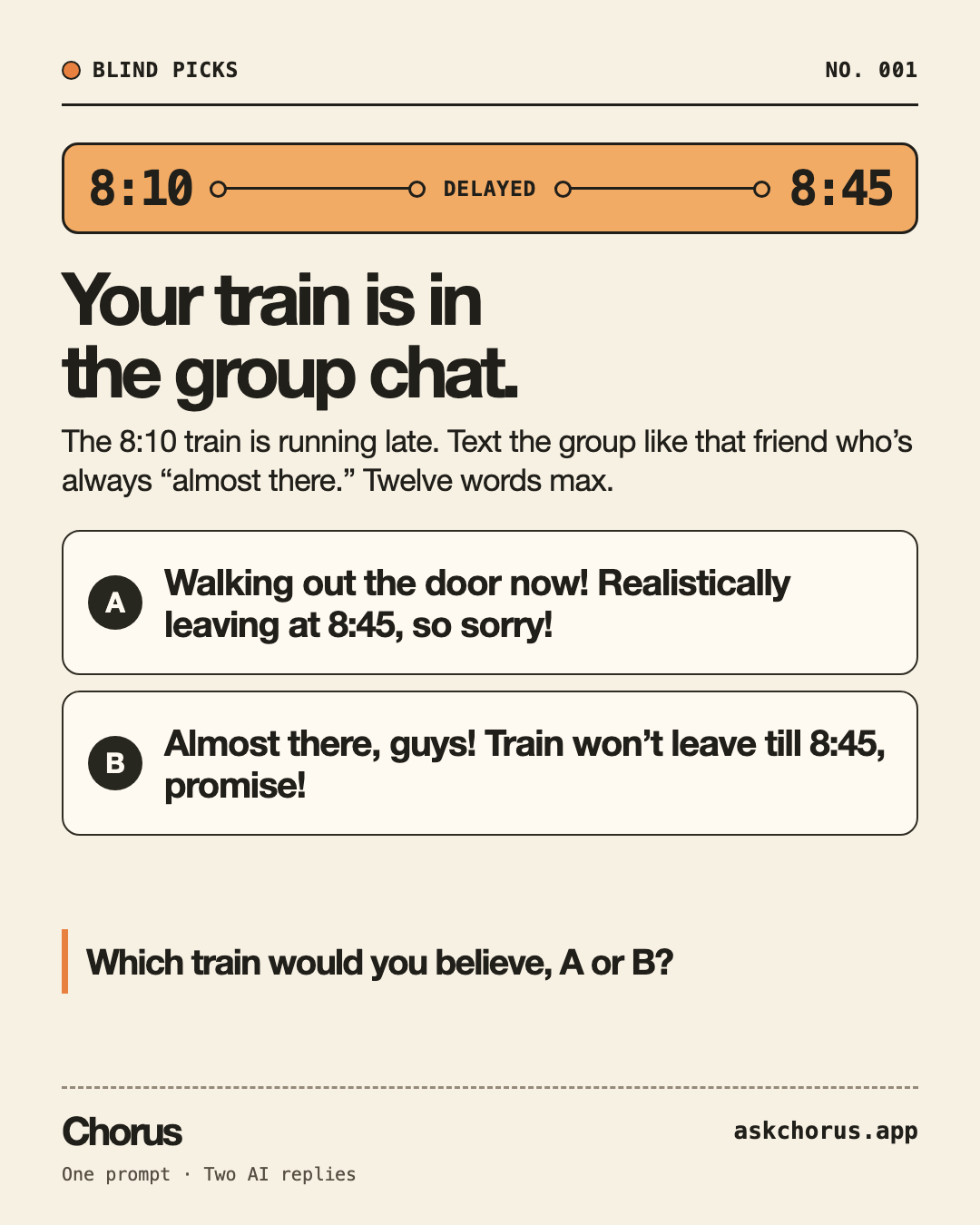
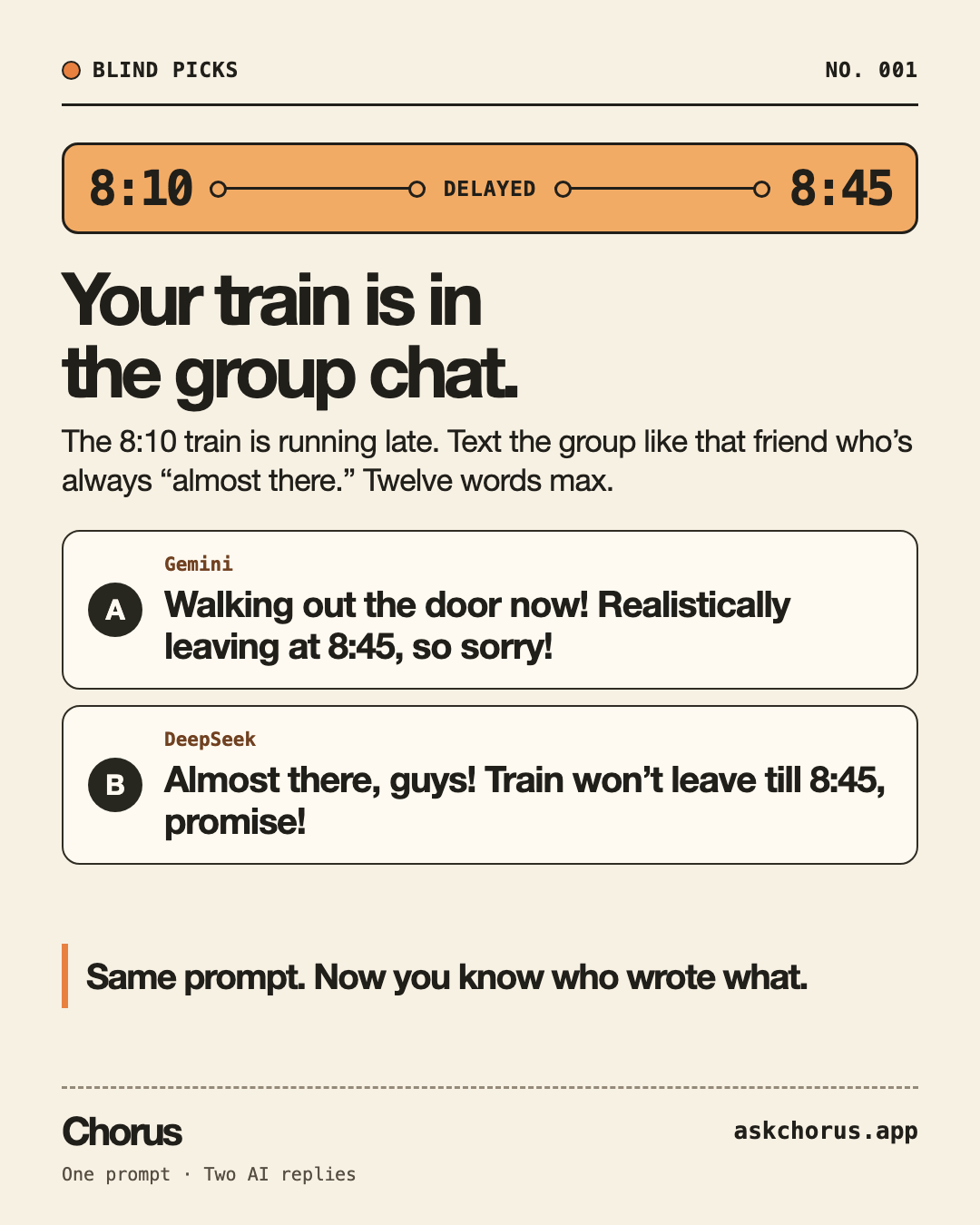
哪班车的话你更信?Which train would you believe?どっちの電車を信じる?
8:10 的列车要晚到 8:45 才发车。让它像那个总说「快到了」的朋友一样,在群聊里发条消息。The 8:10 train won’t leave until 8:45. We asked two AIs to text like that friend who’s always “almost there.”8:10の電車が8:45発に変更。「もうすぐ着く」といつも言う友達みたいに、グループチャットに一言。
先选 A 或 B,再看是谁写的。Pick A or B before you peek.AかBを選んでから、答えを見てみよう。
它能做什么What it doesできること
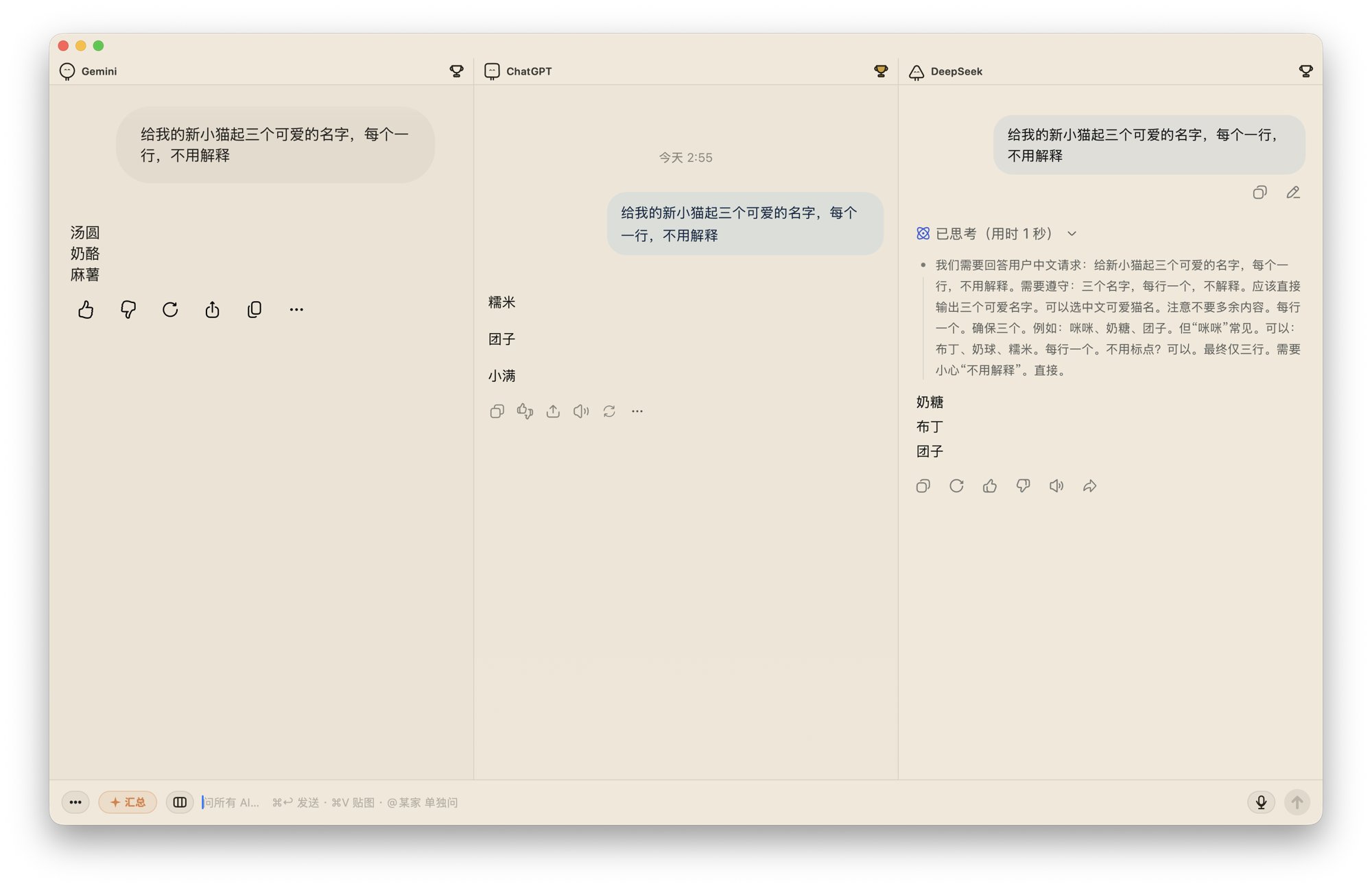
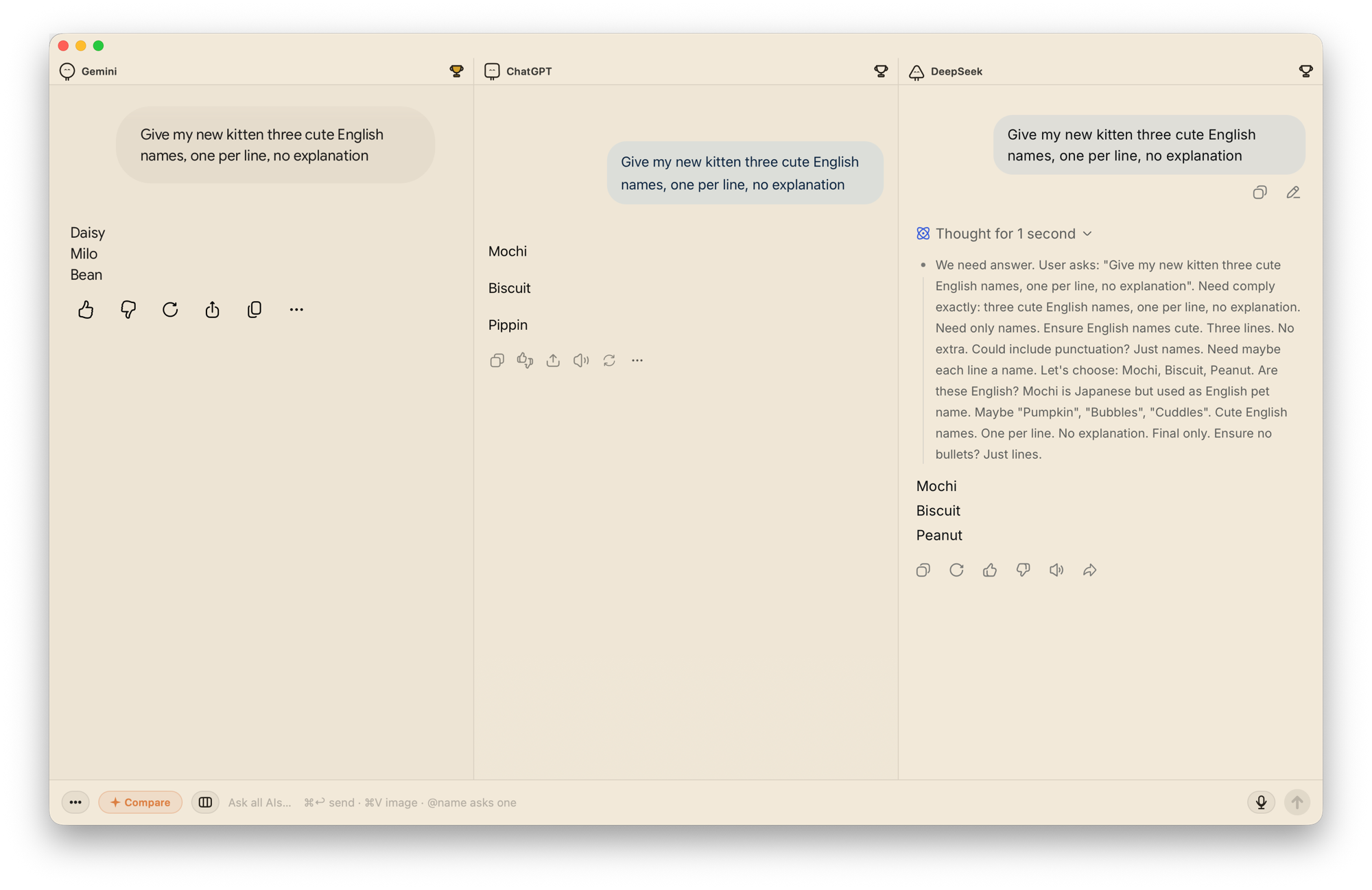
使用示例:在 Mac 上对比 AI 回答(英文)Try it: compare AI answers on your Mac使い方:Mac で AI の回答を比較する(英語)
三步开始Three steps to start3 ステップではじめる
打开 dmg,把 Chorus 拖进「应用程序」文件夹。
Open the .dmg and drag Chorus into your Applications folder.
.dmg を開いて、Chorus を「アプリケーション」フォルダにドラッグします。
第一次打开会被系统拦下:弹窗里点「完成」(别点蓝色的「移到废纸篓」),再去 系统设置 → 隐私与安全性,点「仍要打开」;或在终端执行 xattr -cr /Applications/Chorus.app。只有第一次需要,之后的自动更新不会再拦。
macOS blocks the first launch: click Done in the dialog (not the blue Move to Trash), then open System Settings → Privacy & Security and click Open Anyway — or run xattr -cr /Applications/Chorus.app in Terminal. Only the first time; updates never ask again.
初めて開くときは macOS に止められます。ダイアログでは「完了」をクリックし(青い「ゴミ箱に入れる」は押さないでください)、システム設定 → プライバシーとセキュリティ で「このまま開く」をクリックします。ターミナルで xattr -cr /Applications/Chorus.app を実行しても構いません。必要なのは最初の一回だけで、アップデートのたびに聞かれることはありません。
在各个面板里像平时用浏览器一样登录,登录状态留在本机,下次打开还在。
Sign in to each panel exactly as you would in a browser. Sessions stay on your Mac and are still there next time.
各パネルで、ふだんブラウザでするのと同じようにログインします。ログイン状態はこの Mac に保存され、次に開いたときもそのままです。
遇到问题?写信到 [email protected]Stuck? Email [email protected]困ったときは [email protected] までメールでどうぞ
几个常见问题A few common questionsよくある質問
Chorus 免费吗?Is Chorus free?Chorus は無料ですか?
Chorus 免费、开源。各家 AI 的免费额度、付费套餐和使用限制仍然适用;Chorus 不包含这些服务的订阅。
Chorus is free and open source. Each AI service still has its own free limits and paid plans; those subscriptions are not included.
Chorus は無料のオープンソースアプリです。各 AI サービスの無料枠、有料プラン、利用制限はそのまま適用されます。各サービスの契約は含まれません。
需要 API Key 吗?Do I need an API key?API キーは必要ですか?
在网页面板里提问不需要 API Key,登录自己的账号即可。一键比较和 API 模型对话需要配置 OpenAI 兼容 API;费用由所选服务收取。
Not for the web panels: sign in with your own accounts. The one-click comparison and API model chats require a configured OpenAI-compatible API; your chosen provider may charge for usage.
Web パネルでは不要です。自分のアカウントでログインして使えます。ワンクリック比較と API モデルとの会話には OpenAI 互換 API の設定が必要で、利用料金は選んだサービスに従います。
问题和回答会发给谁?Where do my prompts and replies go?質問や回答はどこに送られますか?
网页面板直接连接各家 AI 官网。使用一键比较时,提问和提取到的回答会发送给你配置的 API 服务,用来生成比较结果。
Web panels connect directly to each AI website. When you run a one-click comparison, your prompt and the extracted replies are sent to your configured API provider to generate the comparison.
Web パネルは各 AI の公式サイトに直接接続します。ワンクリック比較を実行すると、質問と取得した回答が設定済みの API サービスに送信され、比較結果が生成されます。
支持哪些 Mac?Which Macs are supported?どの Mac で使えますか?
需要 macOS 13 或更高版本,同时支持 Apple 芯片和 Intel Mac。
macOS 13 or later, on both Apple silicon and Intel Macs.
macOS 13 以降が必要です。Apple シリコンと Intel Mac の両方に対応しています。
某家 AI 发不出去怎么办?What if one AI stops sending?特定の AI に送信できない場合は?
先在对应面板检查登录状态和服务自身的使用限制。官网改版也可能影响发送或回答检测;仍有问题可以到 GitHub 提交反馈,说明服务名称、Chorus 版本和复现步骤,不必附上私人对话。
Check that panel’s sign-in status and the service’s own usage limits first. Website redesigns can also break sending or reply detection. If it persists, report the service, Chorus version and steps to reproduce on GitHub; private conversations are not needed.
まず該当パネルのログイン状態とサービスの利用制限を確認してください。サイトの変更で送信や回答の検出が動かなくなることもあります。解決しない場合は、サービス名、Chorus のバージョン、再現手順を GitHub でお知らせください。私的な会話を添付する必要はありません。
最近更新Recent updates最近のアップデート
你的对话我们看不到We can't see your conversationsあなたの会話は私たちには見えません
Chorus 只是帮你打开各家 AI 的官网,用的还是你自己的账号。问题和回答直接在你的电脑和官网之间走,跟你自己开浏览器没区别。
Chorus just opens each AI's own website, signed in with the accounts you already have. Questions and answers go straight between your Mac and those sites — the same as using a browser.
Chorus は各 AI の公式サイトを開くだけで、ログインに使うのはあなた自身のアカウントです。質問と回答はあなたの Mac と各サイトのあいだで直接やりとりされます。ブラウザで使うのと変わりません。
官网会按来源汇总访问和下载入口请求,不记录访客标识。
The website counts visits and download-entry requests by source, without recording visitor identifiers.
このサイトでは訪問元ごとのアクセス数とダウンロードリンクへのリクエスト数を集計します。訪問者の識別情報は記録しません。
免费 · Mac 原生应用 · 不用 API Key
Free · Native Mac app · No API key needed
無料 · Mac ネイティブアプリ · API キー不要
macOS 13 或更高版本 · Apple 芯片与 Intel 通用
macOS 13 or later · universal (Apple silicon and Intel)
macOS 13 以降 · Apple シリコンと Intel の両方に対応